


 U.S. Department of Health and Human Services
 National Institutes of Health

 eRA Intranet
Overview
eRA provides the ability for eRA Commons users with multiple eRA Commons accounts to consolidate their accounts into one account that carries their roles/privileges and all their affiliations of the multiple accounts, with the ability to switch roles and affiliation to the one needed at any time.
Benefits
- The ease of one eRA Commons account
- Ability to associate their Login.gov or InCommon Federated account with one eRA account to support all their two-factor authentication needs
Examples of Users with Multiple Commons accounts
- Two signing official accounts – a person who has two separate SO accounts, each at affiliated to a different organization
- A person with both signing official and principal investigator accounts (typically small business applicants)
- A person with principal investigator and assistant accounts
Process
- All eRA Commons users will see a popup screen upon login, urging them to consolidate their eRA accounts if they have more than one.
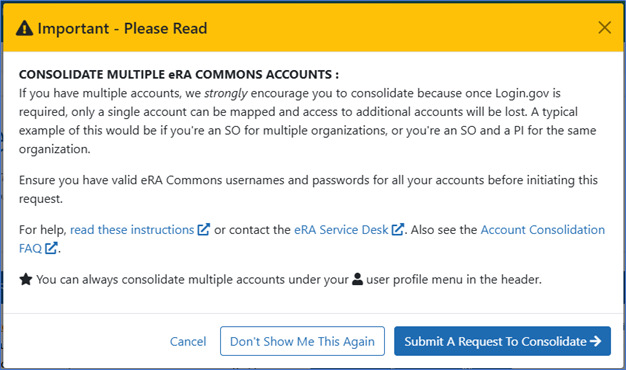
Figure 1: Dialog window to submit a request to consolidate multiple accounts. - The user will enter their username and password for each of their Commons accounts.
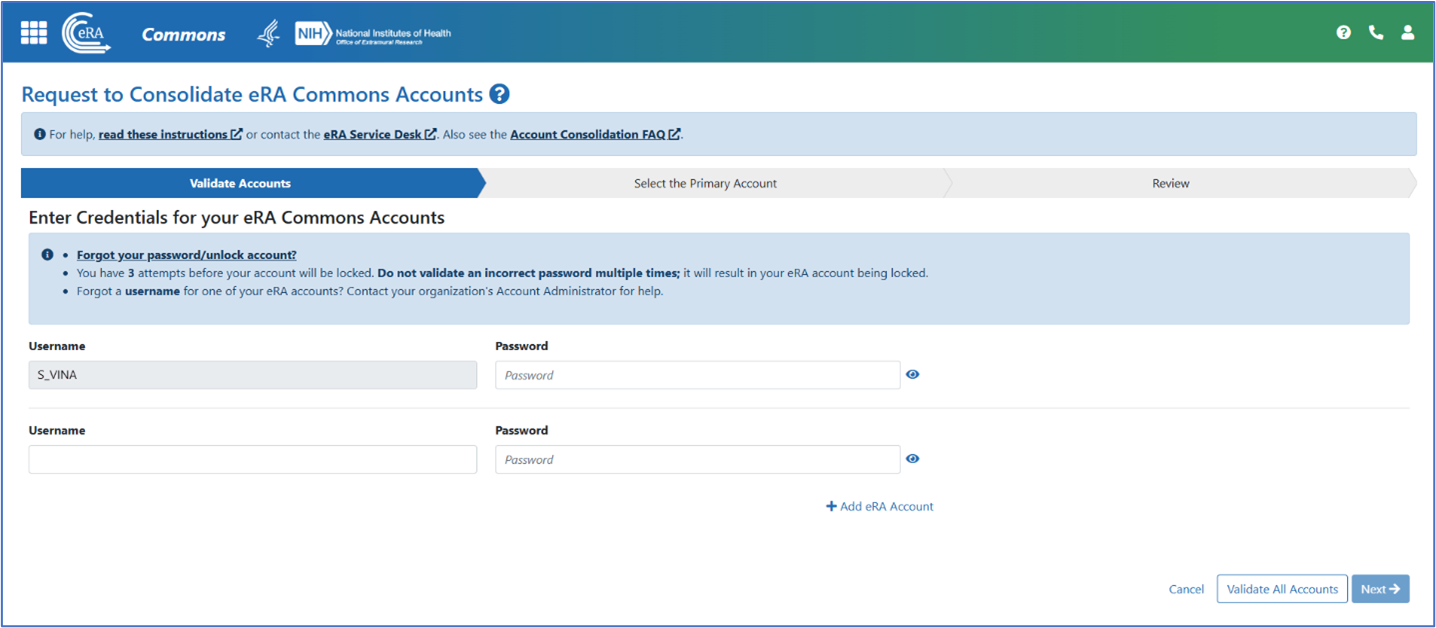
Figure 2: Account validation screen. After the system validates their user credentials, the user will select one Commons account as their main account.
Notes:
- The system will suggest a primary account based on features associated with each account including Login.gov and/or Secure Payee Registration System (SPRS) mapping.
- We recommend that users choose the account that is already mapped to Login.gov; otherwise, the user will need to associate their account with Login.gov again.
- Likewise, a principal investigator with a reviewer role should choose the account already signed up with the Secure Payee Registration System (SPRS). Otherwise, the PI will need to sign up again with SPRS.
- The user will get an email confirmation that their request to consolidate their Commons account has been submitted.
- The request is sent to the eRA Service Desk, who will first verify the request details and consolidate the accounts, and inform the user.
- The next time the user logs in, they select their institution and role.
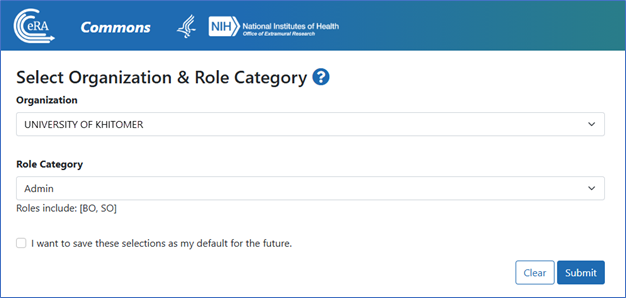
Figure 3: Select Organization & Role Category screen.
For more information on this process, please see the resources provided below.
Resources
- eRA Commons Online Help: Consolidating Multiple eRA Accounts
- eRA Commons FAQs
- eRA Commons Multiple Account Consolidation video