
Scores
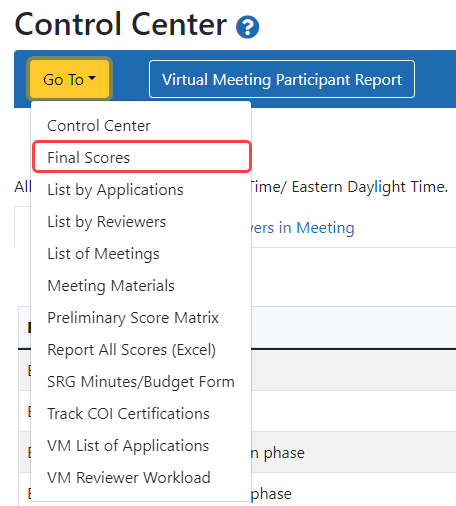
In order to see the scores for the meeting, select "Final Scores" from the "Go To:" drop-down just as you would with non-virtual meetings.  click to view)
On the resulting screen, below the Meeting Information section, you will see the details of the scoring.click to view)
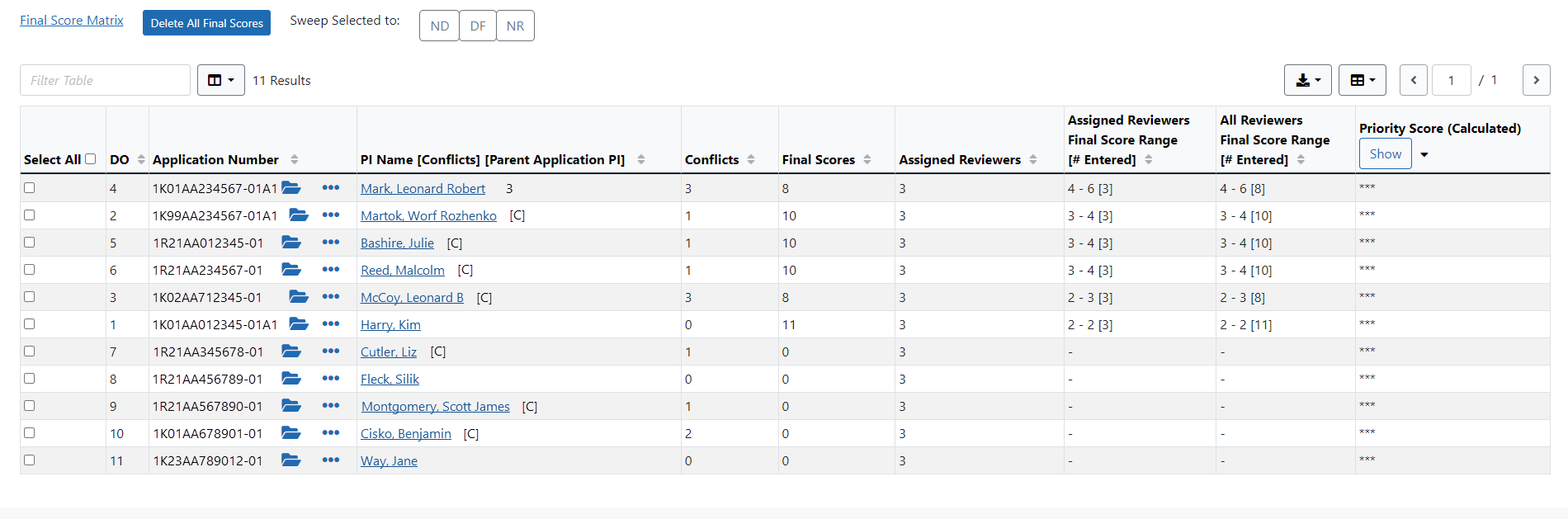
Above the scoring table, you have the following global options; click to view)

- Final Score Matrix link - Download the Final Score Matrix as a .csv file by clicking on this link.
- Delete All Final Scores - Use this button to remove all Final scores.
- Sweep selected applications to ND, DF, or NR statuses - Use the check boxes in the first column to select the applications to sweep and then click on ND (Not Discussed), DF (Deferred), or NR (Not Recommended).
In the score information area, the columns are sortable by clicking underlined titles in the column headers.
The following are the column headers.
- PI Name - The PI's name is displayed as a link, which opens the List of Applications for PI - <PI Name> screen. Refer to List of Applications for Specific PI.
- Conflicts-
- Final Scores-
- Assigned Reviewers-
- Assigned Reviewers Final Score Range-
- All Reviewers Final Score Range-
- Priority Score-
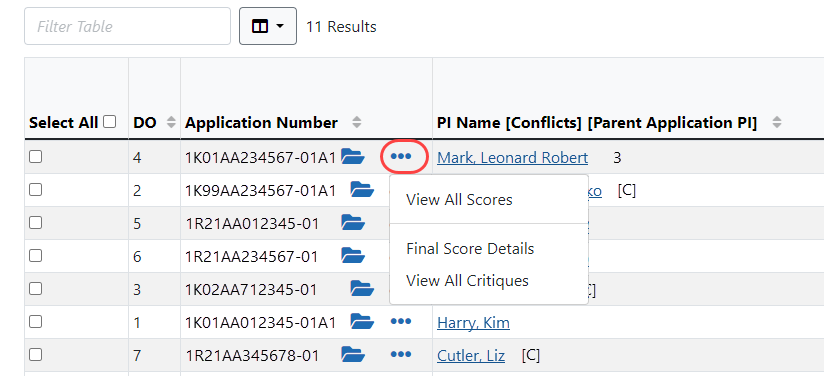
- The "Final Score Details" link will show the scoring results for criterion and final scores from each reviewer.
- "View All Critiques" will download a PDF file of the Preliminary IAR Critique.
