
Manage Discussion Topics
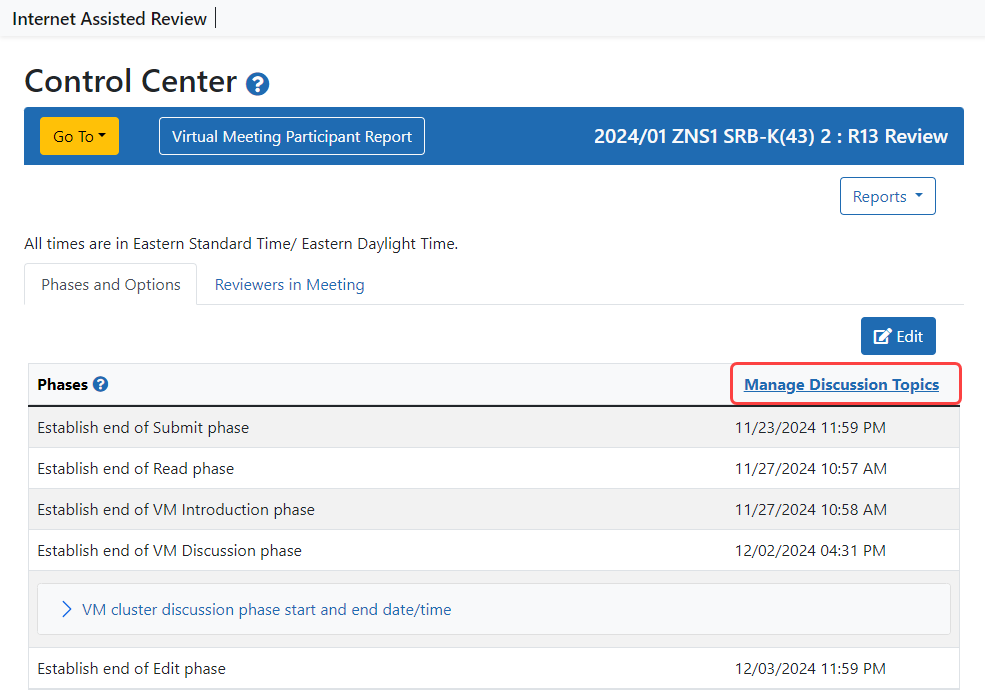
The SRO will establish the topics of discussion for each application using the "Manage Discussion Topics" link in the Control Center.  click to view)
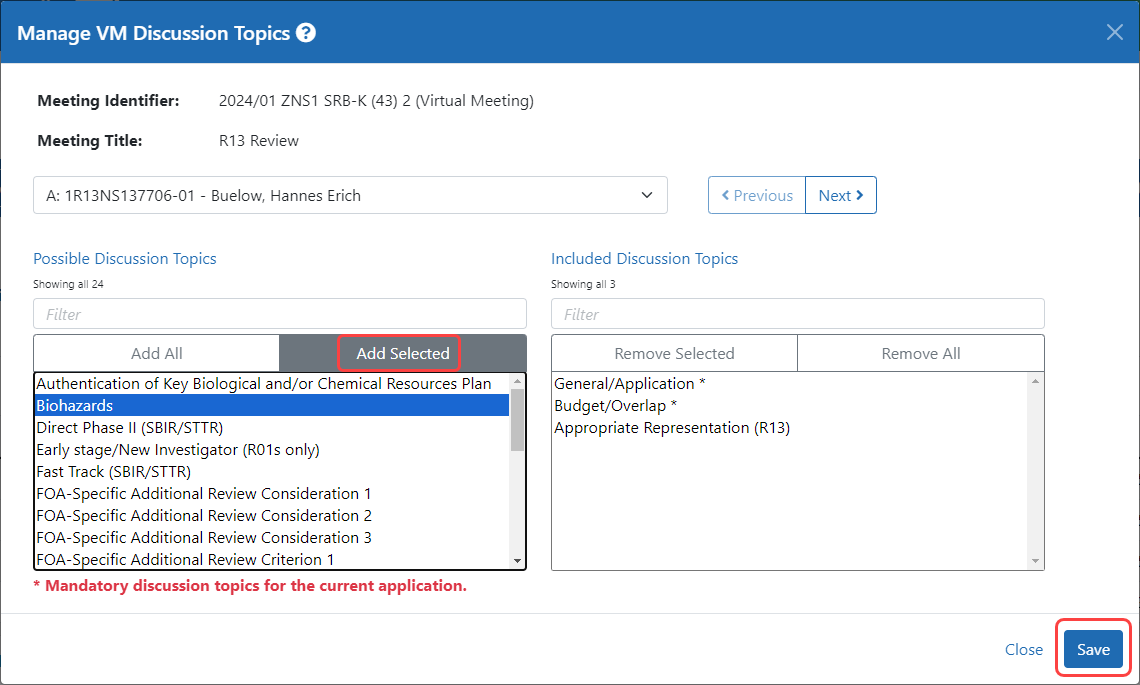
The next screen will allow the SRO to select meetings from the drop-down list or by using the Previous and Next buttons. (click to view)
- The first section is "Meeting Information" and this can be expanded or collapsed as needed.
- Under "Possible Discussion Topics", some topics will have an asterisk (*) beside them to indicate that they are mandatory. Topics will be listed in alphabetical order.
- As needed, any other topics in the list can also be selected and moved to the "Included Discussion Topics" list to the right. Selection may be made one at a time or by using multi-select.
NOTE: (Multi-select allows you to use click+drag, shift+click, or Ctrl/Command [PC/MAC]+click in order to select multiple adjacent or non-adjacent Topics.)
- If appropriate, all of the selected topics may be applied to all of the applications in the meeting by selecting the "Apply changes to all applications" checkbox before clicking on Save.
- Once the appropriate topics are in the "Included Discussion Topics" list, click on the Save button and proceed to the next application.
- Once a topic selection is made, an application can no longer have an empty list of Included Discussion Topics
Related Topics
