
Introduction to Real Time Meeting Status (RTMS)
Launching RTMS
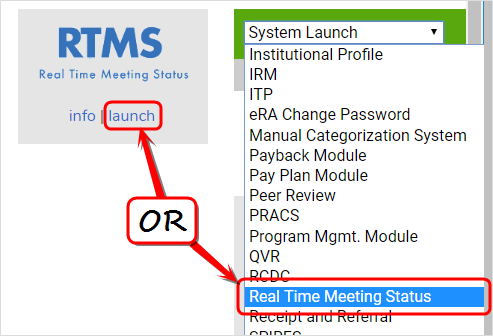
Launch RTMS via  the "Launch" link located under RTMS in the list of All Modules on the eRA Intranet home page. Additionally, under the "System Launch" tool on the right side of the menu toolbar, "Real Time Meeting Status" can be selected from the drop-down menu to access RTMS.
You can also access RTMS by going to https://apps.era.nih.gov/rtms.
Logging Into RTMS from a Desktop or Laptop Computer
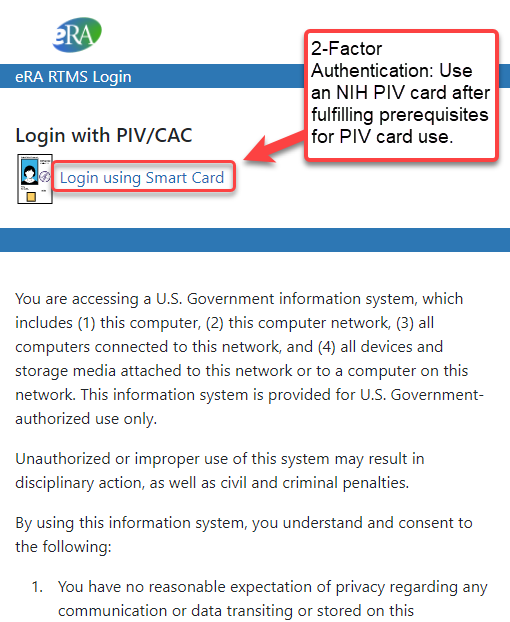
When you launch RTMS, a Login window opens. Use your NIH PIV card , which provides enhanced Two-Factor Authentication security.
After logging in, you see the RTMS List of Meetings screen.
Other Resources for Mobile Device MobileIron Enrollment:
MobileIron Frequently Asked Questions
MobileIron: NIH Enterprise MDM - MobileIron Enrollment Requirements
