Deleting a Degree
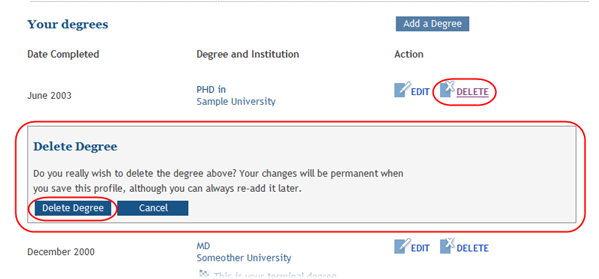
You can remove a degree from your personal profile by using the Delete Degree feature. Use this information if you do not want the degree information listed in your profile; deleting a degree permanently removes the information. If you accidentally remove this information, you will need to re-add it.
To delete a degree:
- Click the Delete link next to the degree being removed.
- Click the Delete Degree button.
 The
The The degree information is permanently removed from your profile.