Search for FFRs
 About the FFR Search Screen
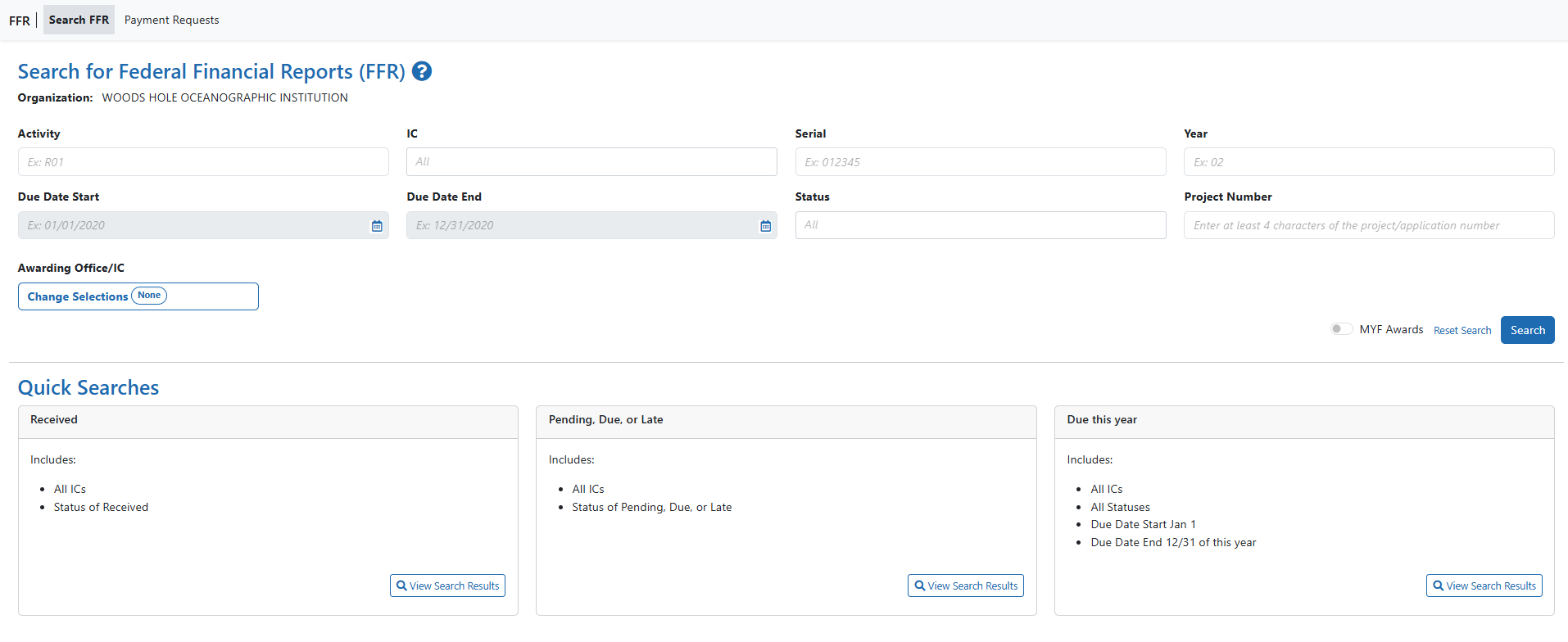
Use the Search for Federal Financial Report (FFR) screen to search for grant awards within your organization that have associated FFRs.
The FFR search screen showing parameter and quick search options.
Perform a Search
You can search either by entering search criteria or by clicking one of the predefined quick searches.
IMPORTANT: When searching based on search criteria, enter as many criteria as possible to perform a narrower and specific search. Too broad of a search can result in a very large set of records returned by the FFR module, which might slow down the FFR response time.
Search Using Search Criteria
- Select search criteria from the available dropdowns on the search screen.
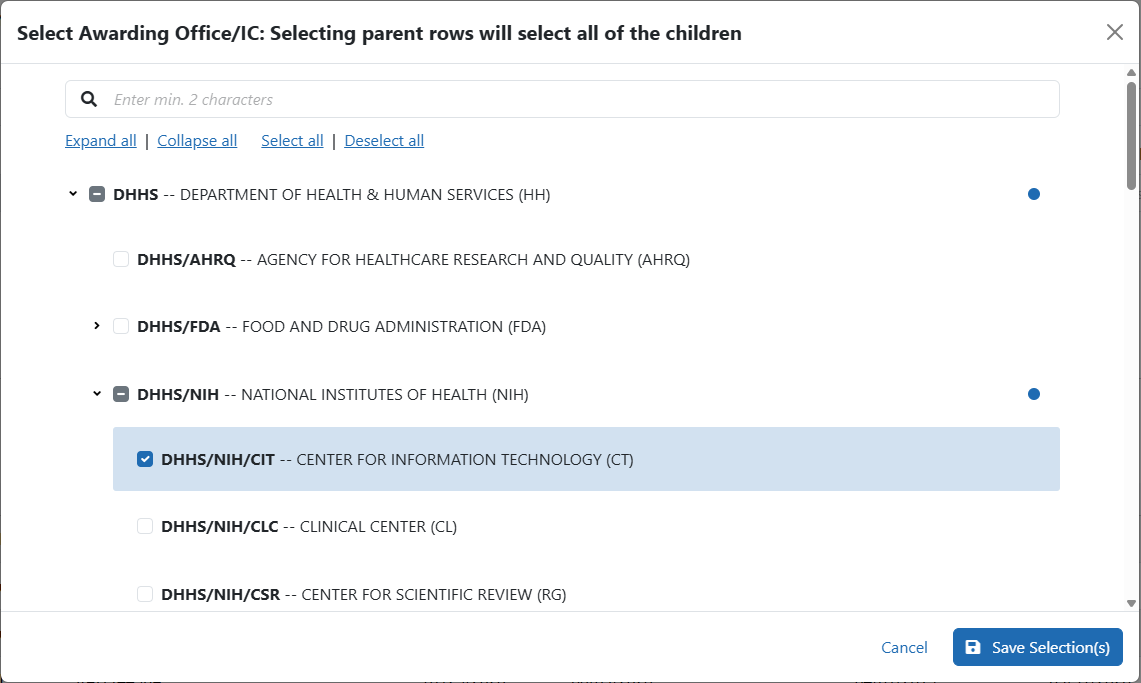
- Click the Search button.
The results of the search appear in search results below the search criteria. Refer to the section below titled Search Results to learn what you can do with search results.
- Click the Reset Search button to clear the results and perform a new query, as necessary.

Using a Quick Search
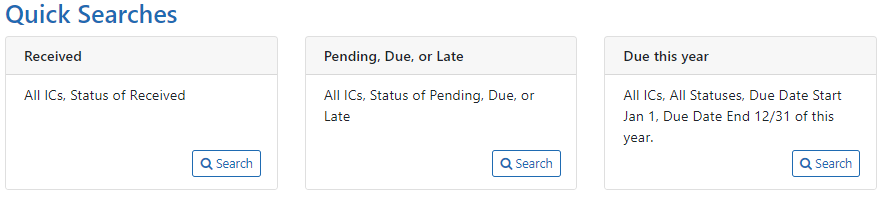
Quick searches are one-click, pre-defined searches providing a convenient method of retrieving commonly entered criteria. They appear on the Search screen in FFR when you first enter the module. If you do not see a list of quick searches defined at the bottom of the search screen, click the Reset Search button.:
To run a quick search:
- Click the View Search Results button of the desired quick search.
Received
Searches for and returns any records for FFRs in a status of Received, for all ICs.
Pending, Due, or Late
Searches for and returns any records for FFRs in a status of Pending, Due, and Late, for all ICs.
Due this year
Searches for and returns any records for FFRs in a status of Received with a start date of January 1 of the current year and an end date of December 31 of the current year.
- In the search results, click the three-dot ellipsis menu to see actions you can take on a record. Refer to the section below for additional information on search results.
- Click the Reset Search link to clear the results and perform a new search.
Search Results
FFR retrieves all matching awards that are eligible for an FFR. Use the grid tool ( ) to specify how many records to display on a page.
Select the header of any column to re-sort the displayed records if a sort symbol ( ) is available.
Use the navigation buttons at the upper right of the results to navigate through the remaining records.

The hit list includes the following information:
- Award/Project Number: The award number is linked to the Grant Folder.
- Doc No: Award document number.
- Three-dot ellipsis menu. Displays all actions that can currently be performed on the FFR record. These options vary depending on the status of the FFR. Refer to the section below, titled Actions, for more information.
- FFR Type: FFR Report type, semi-annual, annual, final.
- Spec. Funding: Special funding indicator of ARRA, Sandy, or <blank> as appropriate.
- FFR Due: The date when FFR status will change from Due to Late.
- Submitted to Agency: The date on which the FFR was received by the agency, otherwise this column is blank.
- Budget Start: The budget period start date of grant.
- Budget End: The budget period end date of grant.
- Latest FFR Status: The status of the most recently submitted FFR in a family of FFRs (ex. MYF awards with incremental periods or NCE FFRs).
TIP: Use the Export button at the top of the search results to view the FFR search results in an Excel spreadsheet. Excel will open in a separate window.
Actions From the Three-Dot Ellipsis Menu on Search Screen
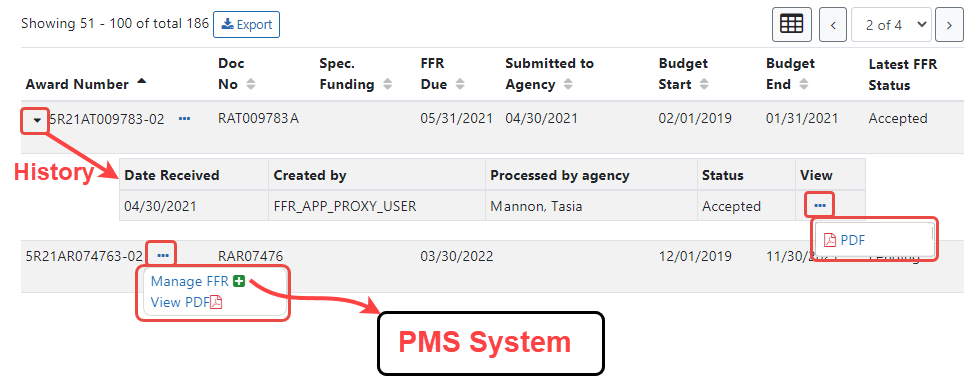
The actions available for a FFR vary depending on the status of the FFR. All available actions are accessible by clicking the three-dot ellipsis menu next to the Award/Project Number in the FFR results table.
| Action Option | Available to FFRs in Status... | Result of the Action |
|---|---|---|
| Manage FFR |
|
Redirects to PMS, where (after you login) it opens the FFR long form for editing and submission. |
| History |
|
Displays a history of actions performed against the FFR record. |
|
Opens the current version of the report in PDF format. |
Manage FFR
Action
Select the Manage FFR action to be redirected to the current FFR in PMS, where, after logging in, you are presented with the FFR long form to complete and submit. You can either initiate the FFR using this button, or return to a partially completed FFR to continue editing it.
Vew PDF
Action
Select the View PDF action to open a read-only PDF version of the report. This is available for FFRs in a status of Received, In Review, Accepted, Rejected, and Revision Pending.
History Action
Click the caret (triangle icon) next to the Award/Project Number to display a brief history of the FFR since initiation. The history displays beneath the FFR record. History of the FFR includes:
- Date received by agency
- User that created the FFR
- Name of the agency staff member who processed the FFR (if applicable, otherwise N/A)
- Status of FFR
- View Actions

History is available for FFRs in a status of Received, Accepted, Rejected, and Revision Pending.
Review Transactions Action
Select the Review Transactions action to review the transactions on an approved FFR. The Review Transactions action is available for FFRs in a status of Approved or Pending GMO Review.
| 1. | Select the Review Transactions action for the appropriate record in the search results. |
| 2. | Update the Financial Transaction Details, Agency Review Comments. |
| 3. | Click the Submit Transactions button to submit the financial transaction details. |
Refer to Federal Financial Report (FFR) Long Form for information on fields in the FFR long form.
Viewing No Cost Extension (NCE) Details
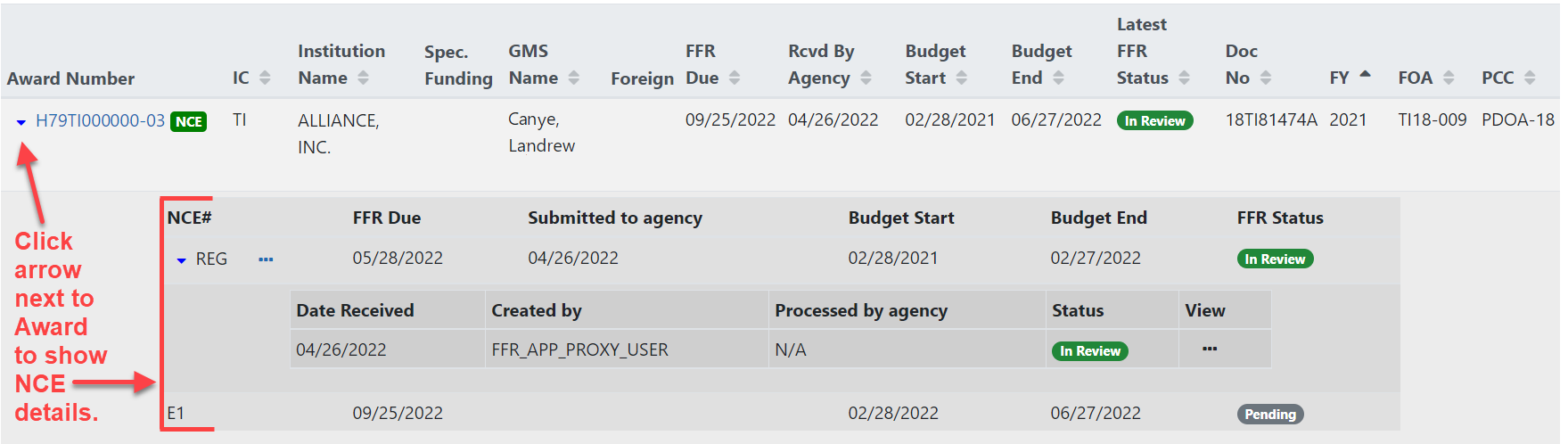
When you see an award with a green NCE icon next to the award number, it means the award has had a no-cost extension (NCE) applied. Click the down arrow next to Award Number to see both the regular FFR (REG) details,and the NCE details (E1, E2, etc). In the area that appears, also use the down arrow to toggle more information to appear or collapse.