
Accessing TCM
There are multiple ways to access TCM:
 For SAMHSA Users
-
Navigate your browser to https://inside.era.nih.gov/ and click the Launch link under the module name.
Click All Modules if you don't see the module. -
After you launch TCM, the NIH Login screen opens. For instructions on logging in, see Login screen for internal HHS staff.
-OR-
Use one of these methods to access terms tracking from other eRA modules:
- From the Grants ManagementTerms tab -
- To assign terms and conditions and set up terms tracking attributes for an individual grant pre-award.
- For instructions see GM Terms tab.
- From the GMM Grant Portfolio tab -
- To assign and manage terms tracking attributes post-award.
- For instructions see Terms Tracking.
- From the GMM Grant Award tab -
- To assign terms and set up terms tracking to multiple grant awards in a single bulk operation.
- For instructions see Search for Grant Awards.
- From the Terms Catalog tab -
- To view, manage or create terms and conditions for your organization.
- For instructions see Search the Terms Catalog and Manage the Terms Catalog.
- Program staff: -
- Click TCM links in PMM Grant Summary screens.
In the Status screen List of Applications/Grants, a View Terms Tracking action button is available for each grant application that has tracked terms:
Click the View Terms Tracking button to open the View Terms Tracking Details screen.
For NIH OTA users
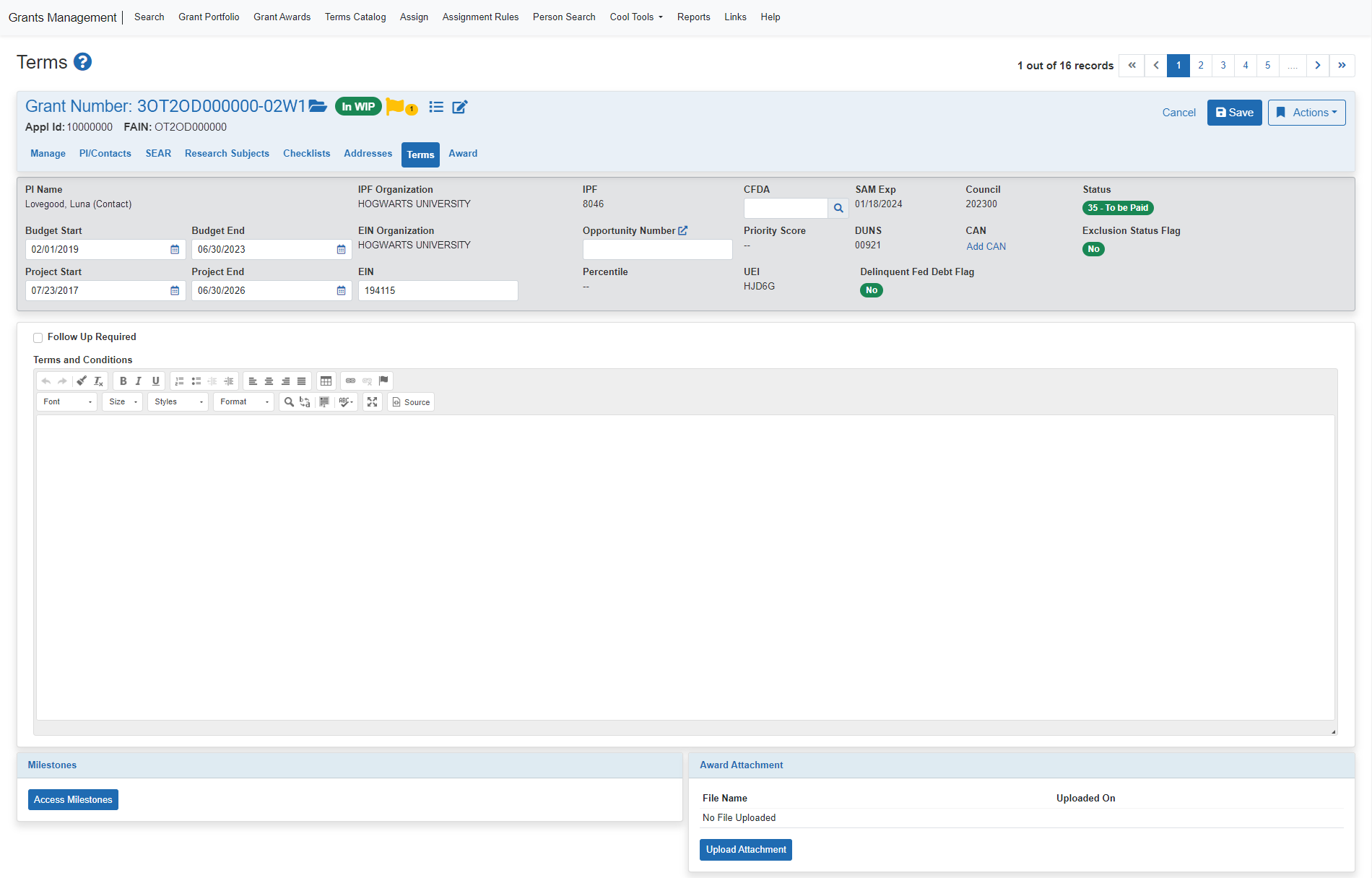
- Use the Grants Management (GM) search function to find an OT award.
- Click the Terms tab to open the Terms screen.
- Click the Access Milestones or Milestones Tracking button:
- Clicking Access Milestones opens the Manage Selected Terms window to assign milestones to the award. For the next steps, see Step 2: Manage Selected Terms.
- Clicking Milestones Tracking opens the View Milestone Tracking Details screen to access the current tracking status of all terms assigned to the award. For the next steps, see View Milestone Tracking Details.
- Clicking Access Milestones opens the Manage Selected Terms window to assign milestones to the award. For the next steps, see Step 2: Manage Selected Terms.
To Access TCM From other eRA Modules:
- In PMM, Program staff can click TCM links in Grant Summary screens.
- In the Grant Folder you can access milestones tracking from the Award Terms tab.
NOTE: If you see an eRA/IMPACII Systems Rules of Behavior page, you must read it over and agree to terms before you are allowed to access IMPACII modules. See eRA/IMPAC II Rules of Behavior Agreement for more information.
